Help Topics
Mapping & Places
Account, Mobile PWA & Deep Links
Install PlanCityTrips on your phone, manage cloud sync and account deletion, and share direct city URLs.
1. Mobile PWA Layout
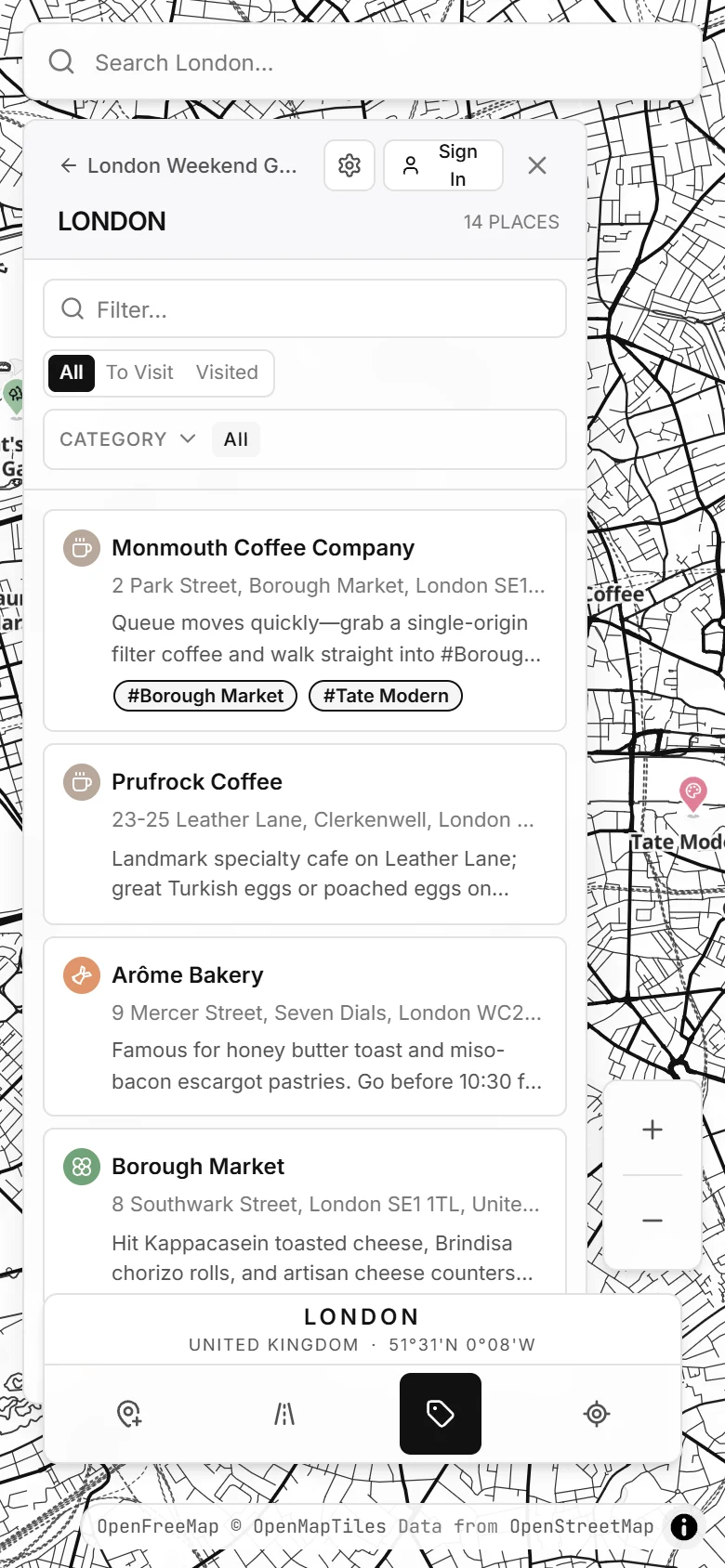
On phones (390×844 and similar screens), the sidebar turns into a bottom sheet so the map stays
front and center. Add PlanCityTrips to your iOS or Android Home Screen from your browser's Share / Install menu
for an app-like full-screen experience while walking around a city.
2. Cloud Sync, Undo & Account Deletion
- Guest → Cloud Migration: When you sign in with Google or email for the first time, PlanCityTrips offers to upload your local browser trips into your cloud account.
- Undo Toast: Deleting a pin or city shows a temporary Undo toast at the bottom of the screen so accidental deletions can be reversed immediately.
- Clean Account Deletion: Open the Account button in the sidebar header to permanently delete your cloud account and all owned trips at any time.
3. Supported App URL Parameters
| URL | Behavior |
|---|---|
/app?city=london |
Opens or loads the city (works for london, amsterdam, tokyo, corfu, copenhagen, marrakech, or any saved city slug). |
/app?trip=corfu |
Opens a multi-city sample trip on the 3D globe. |
/app?share=<slug> |
Opens a published read-only Zine / Map snapshot. |
/app?invite=<token> |
Accepts a live Editor or Viewer collaboration invite. |
/app?auth=1 |
Opens the Sign In / Cloud Account dialog immediately. |
4. Connecting AI Assistants (ChatGPT, Claude & Gemini)
PlanCityTrips exposes a Remote Model Context Protocol (MCP) server over Streamable HTTP and supports WebMCP in compatible browsers:
- Public Discovery Connector: Add
https://plancitytrips.com/api/mcpfor place search, POI discovery, neighborhood lookups, and reading public Zine links without signing in. - Cloud Account Sync (OAuth 2.1): Add
https://plancitytrips.com/api/mcp?auth=requiredto sign in via Supabase OAuth 2.1 and let your AI assistant list trips, add cities and pins, update notes, and schedule itinerary days directly in your cloud workspace.