Help Topics
Rich Notes, #PlaceName Tags & Photos
Write field notes with clickable #PlaceName links that fly the map to any pin, and drop your camera roll after a trip to auto-match photos by GPS.
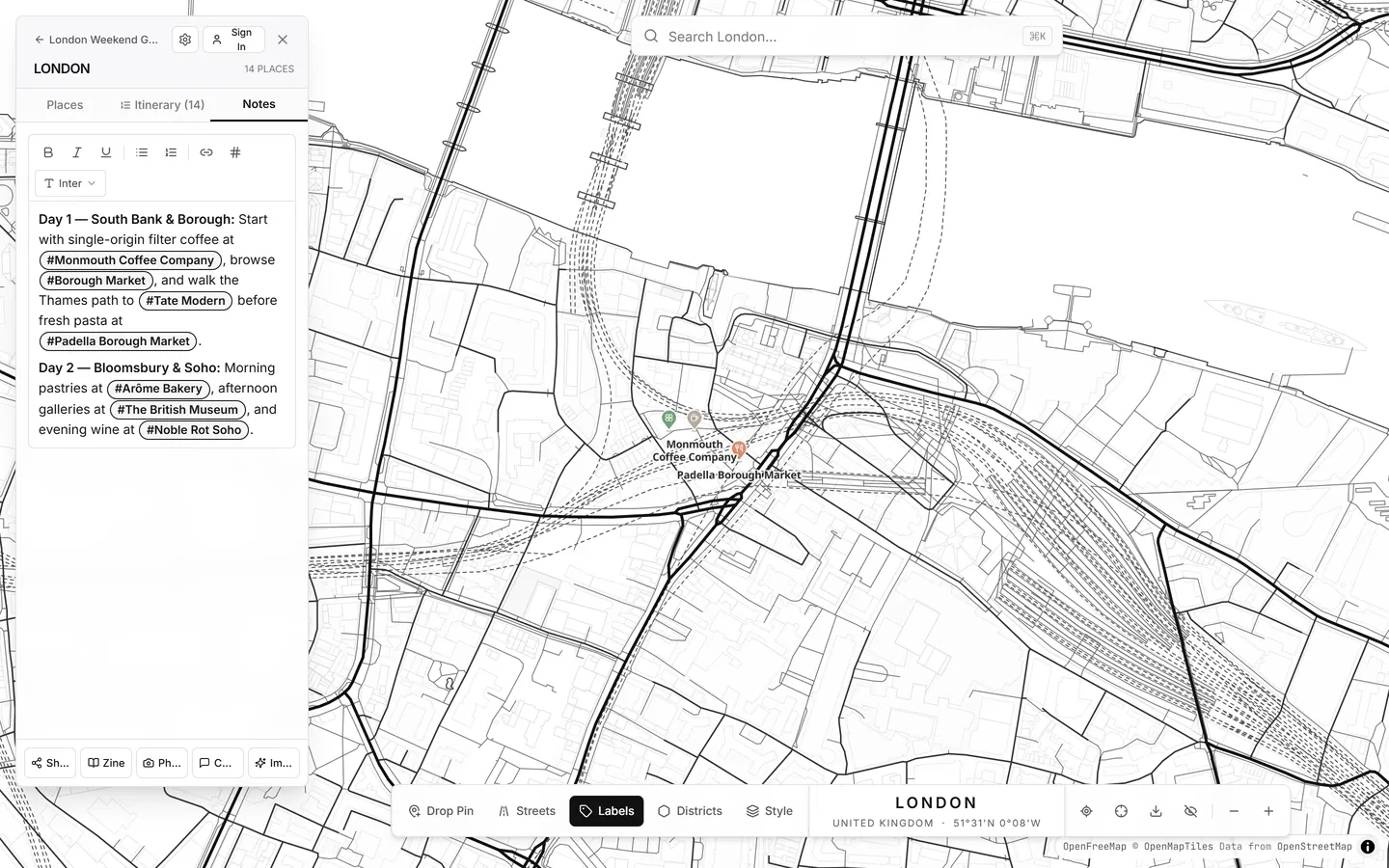
1. Rich-Text Notes & Interactive #PlaceName Tagging
Both the Pin Inspector and the city-level Notes tab include a distraction-free rich-text editor with headings, bold/italic, bullet lists, links, and selectable note fonts.
# anywhere in your notes
An autocomplete menu lists your saved places in that city (and across your trip). Select a place to insert an interactive #PlaceName chip.
#PlaceName tag
Clicking a tag inside City Notes—or inside Zine View—immediately flies the map to that pin and opens it.
2. Camera-Roll Bulk EXIF Photo Upload
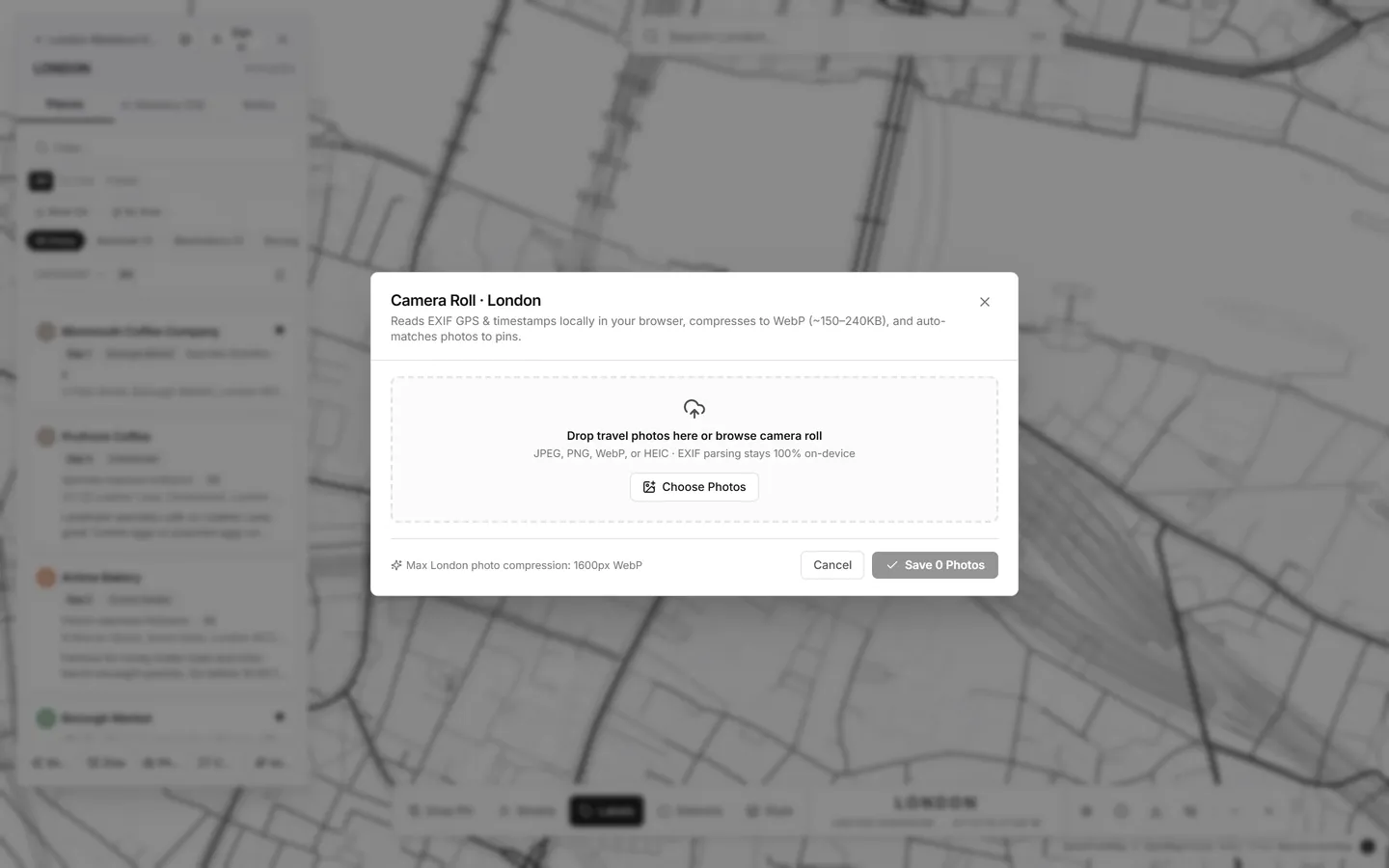
You can attach up to 12 photos per pin directly in the Pin Inspector, or process an entire folder of trip photos at once using Photos in the sidebar footer:
- 100% Client-Side EXIF & WebP Compression: Latitude, longitude, and capture timestamps are read locally in your browser while each photo is resized (1600px max edge) into a ~180 KB WebP image.
- 200 m Auto-Match: Photos taken within 200 meters of an existing pin snap onto that pin automatically with exact meter distance shown.
- Unmatched Shots: Photos taken somewhere new can be assigned to an existing pin or turned into a brand-new reverse-geocoded pin in one click.