Help Topics
Live Collaboration, Trip Chat & Zine View
Plan together with live sync and @Pin chat, or publish a clean editorial travel zine that anyone can read, print, or clone into their own workspace.
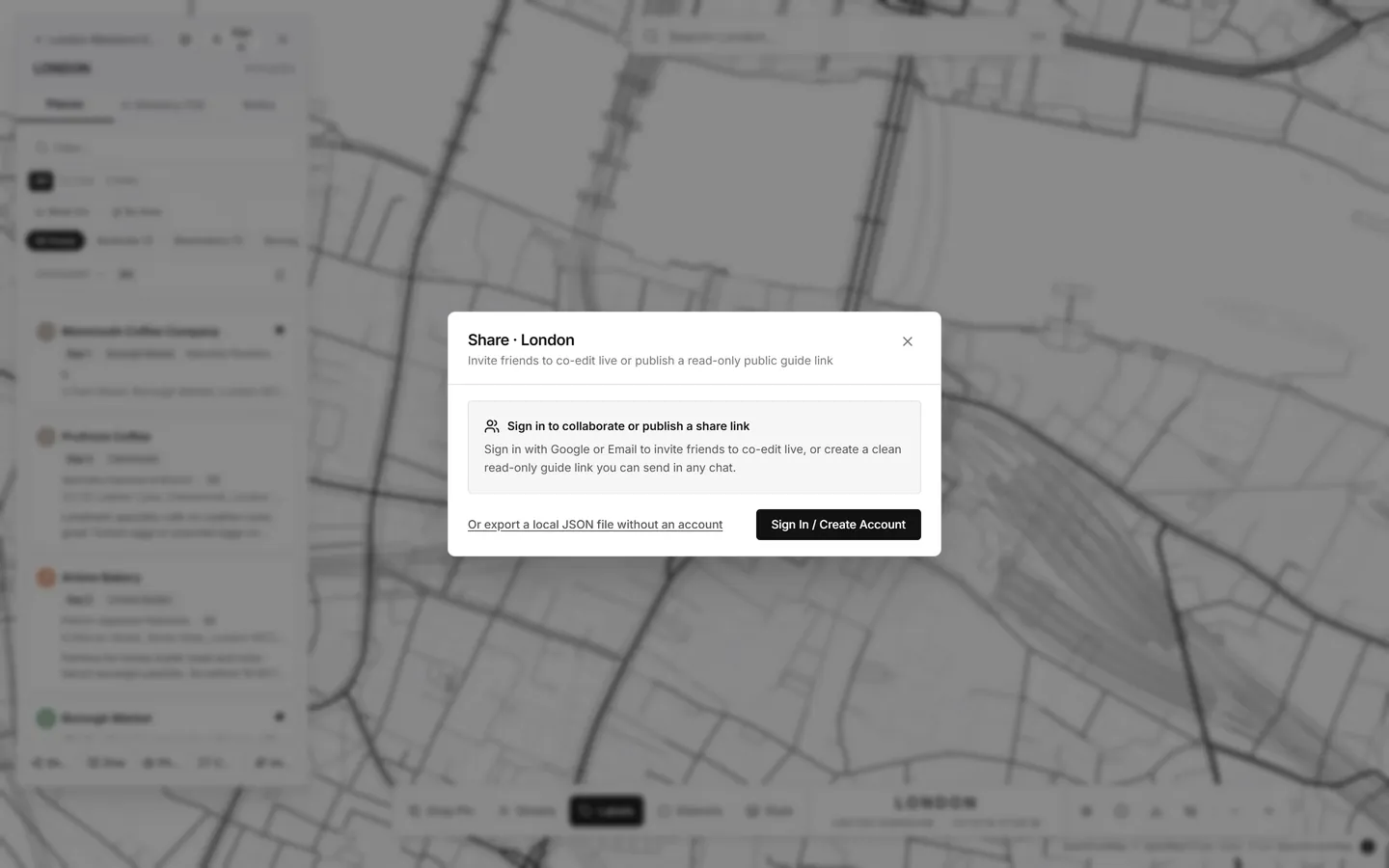
1. Live Co-Editing (Editors & Viewers)
Click Share in the sidebar footer to open the Share & Collaboration dialog.
Choose Editor (can add/edit cities, pins, itineraries, and notes) or Viewer, copy the ?invite= link, and send it to your travel partners. Changes sync in real time.
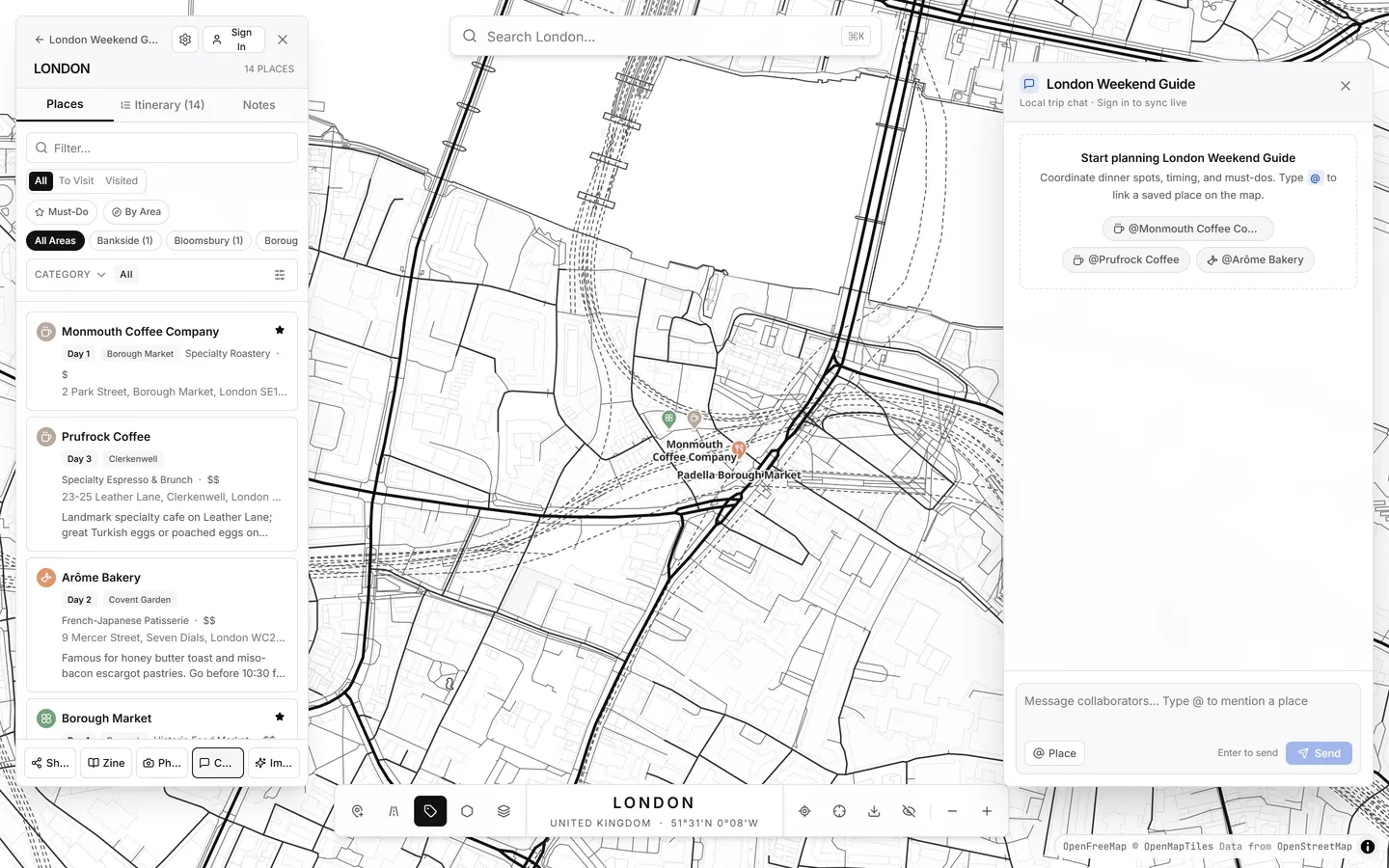
2. Real-Time Trip Chat with @Pin Mentions
Click Chat in the sidebar footer to open the Trip Chat drawer. Type @ to mention any
saved pin—clicking a @Pin chip in a message jumps the map directly to that spot.
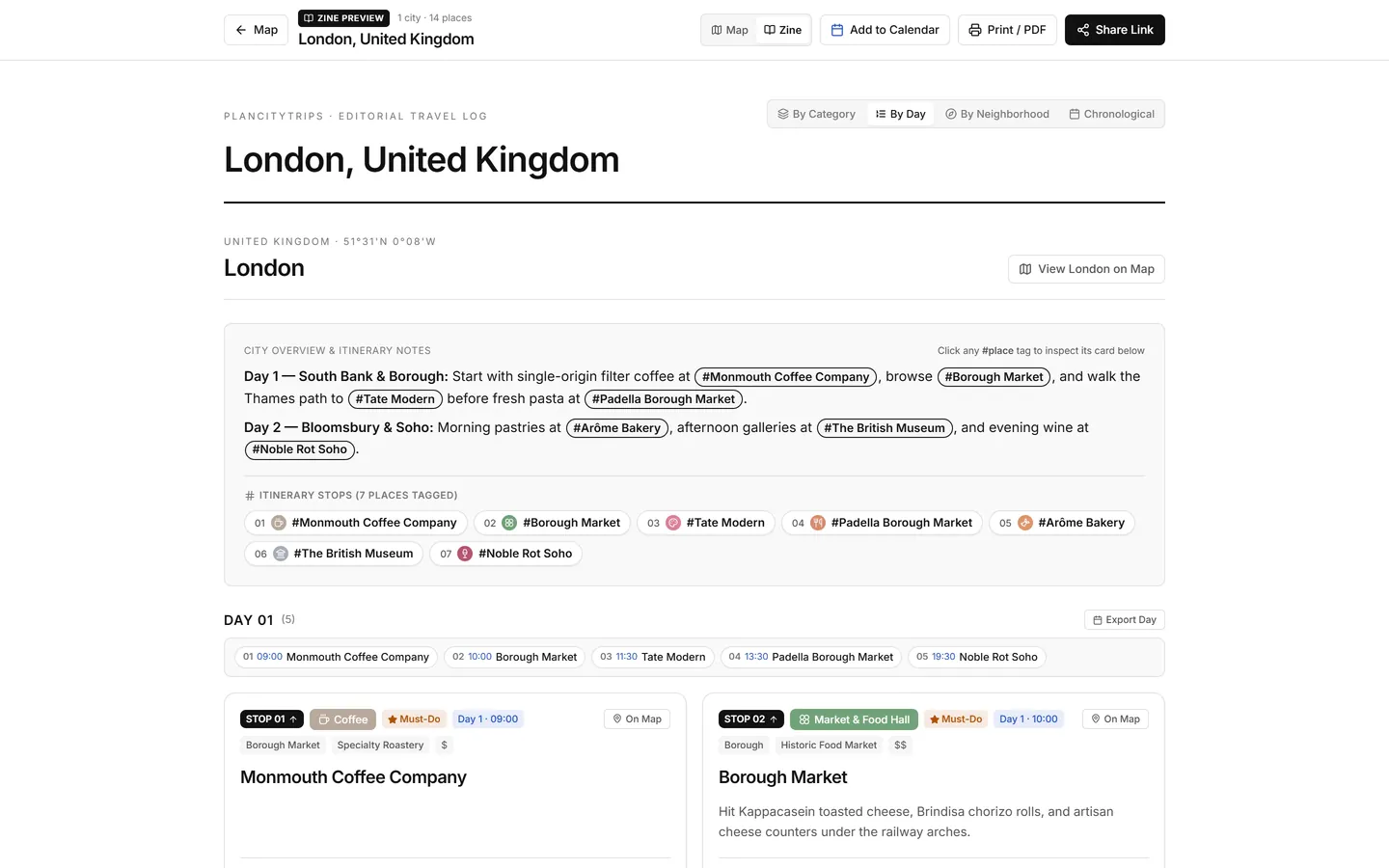
3. Editorial Zine View, Print / PDF & 1-Click Clone
Click Zine in the sidebar footer (or toggle Map ↔ Zine at the top of any shared
?share= link) to read your trip as a clean editorial travel log with day itineraries, photos, and
clickable #PlaceName references.
- Print / Save PDF: Click Print / PDF in the Zine header for clean multi-page pagination.
- Clone to My Trip: Anyone opening your public snapshot link can click Clone to My Trip to copy the entire guide into their own workspace (unvisited, ready to customize).